
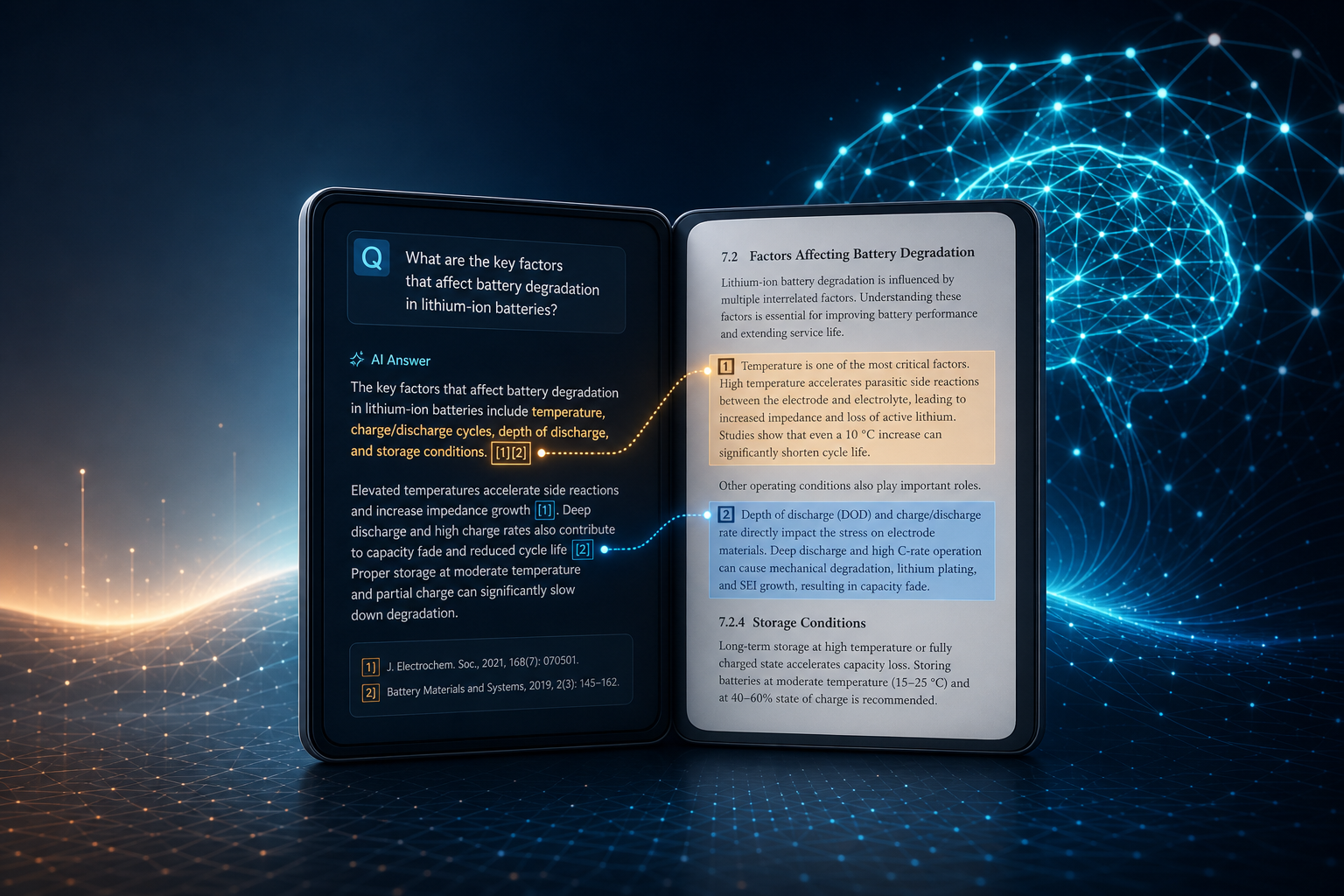
This post shares how we implemented zero-hallucination Q&A in our AI reader: answers are strictly grounded in the text of the book you have open, and key claims can be traced in one click to the exact passage. If you are building AI reading, document Q&A, or RAG-style apps, we hope three iterations of lessons and the final architecture are useful.
I. Evolution in three stages
Zero-hallucination Q&A was not designed perfectly on day one. It evolved under tension between cost, latency, and accuracy. Below is a chronological view of three stages—useful context for why the current architecture looks the way it does.
flowchart LR
    P1[Stage 1: Full-text dump] --> P2[Stage 2: LLM key-sentence extract]
    P2 --> P3[Stage 3: Segment index + Tool retrieval]
    P1 -.->|Slow, costly, inaccurate on long books| X1[Retired]
    P2 -.->|Lost detail, still slow| X2[Retired]
    P3 -->|Current| OK[Zero hallucination + traceable]
Stage 1: Dump the full book into context (simplest—and first to break)
Approach: When a user opens a book and asks a question, put all extracted body text into the system prompt or user message and let the chat model answer. If the book exceeds about 400k characters, hard-truncate—only the beginning is kept; later chapters are invisible to the model.
Pros:
- Very low implementation cost; almost no preprocessing;
- Works reasonably on short books and simple documents—the model really “saw the whole book”;
- Simple UX: ask and get an answer, no “please wait while we analyze” state.
Cons (quickly unacceptable):
- Slow responses: Every question resends a huge payload; time-to-first-token and total latency grow with book length;
- High token cost: You pay for the full book input on every question;
- Long books distort badly: After 400k characters, the second half, appendices, and conclusions may as well not exist—and the UI often does not clearly say truncation happened;
- Zero retrieval granularity: The model must “find a needle in a haystack” across hundreds of thousands of characters—easy to miss details and easier to produce plausible-sounding summaries with no basis—exactly what reading apps must avoid.
Stage 1 is fine for an MVP, not for a product-grade solution.
Stage 2: Use a lighter LLM to extract key sentences (compress context—but too aggressively)
Approach: Before Q&A (or on first open), run a cheaper model over the body: split by spine chapter (or chunk the whole book), extract key sentences, keep position tags like [fFile-start-end], then concatenate excerpts into a shorter context for later Q&A.
Typical pipeline: Extract → Cache → Chat. Extract once (offline or on demand), store a “key sentence bundle,” reuse it for every question—same idea as many document-QA prototypes that compress first, then answer.
Pros:
- Each question sends much less text; per-request token use drops vs. stage 1;
- Preprocessing can be cached; no re-extract per question on the same book;
- Position tags lay groundwork for citations.
Cons (still fails on long books):
- Heavy detail loss: “Key sentences” are model-selected; qualifiers, counterexamples, and argument chains are often dropped—answers become “correct but one-sided”;
- Context still large on long books: Even key-sentence bundles for big works are sizable—latency and cost are eased, not solved;
- Double LLM error: Extraction may miss; Q&A may misread excerpts—errors stack;
- Static context: Whether the user asks about one chapter or whole-book structure, the model always gets the same pre-extracted blob—no dynamic narrowing by question.
Lesson: the issue is not “whether we compress,” but whether compression is on-demand and whether we can return to source text.
Stage 3: Segment index + Tool retrieval on demand + source text back (current)
Approach: Inspired by PageIndex. Vs. stage 2, three core shifts:
- Preprocessing produces a structured index (TOC-level summaries + exact character spans), not excerpts used directly as Q&A context;
- Each question uses Tool Calling to retrieve on demand, then pulls source text with position tags to answer;
- System prompt + frontend enforce citation format and support click-to-jump highlights in the reader.
Three-stage comparison:
| Dimension | Stage 1 (full dump) | Stage 2 (key sentences) | Stage 3 (current) |
|---|---|---|---|
| Context per question | Whole book (or truncated front half) | Pre-extracted key sentences | Only source snippets relevant to the question |
| Long-book accuracy | Collapses past ~400k chars | Depends on extraction; loses detail | Retrieve by TOC/span; no hard full-book truncate |
| Response speed | Slow | Somewhat better; long books still slow | Retrieve + short context—noticeably faster |
| Token cost | Very high | Medium-high | Amortized preprocess + pay per need |
| Traceability | Weak (hard to cite) | Tags exist but content is secondarily filtered | Footnotes map to real source spans |
| Engineering complexity | Low | Medium | High |
Why we stopped at stage 3: For reading, zero hallucination is not “show the model as much text as possible,” but “before answering, fetch source evidence for the question.” Stages 1–2 fought context size; stage 3 splits the pipeline into index (preprocess) → retrieve (Tool) → evidence (source) → answer (constrained generation)—balancing accuracy, cost, and traceability.
Below we detail stage 3.
II. Problem statement: In book Q&A, hallucination hurts more than in generic chat
Users forgive occasional errors in a general chatbot. In book Q&A, the cost is higher:
- Users ask what this book says—not what lives in the model’s parametric memory;
- A plausible-sounding “view from the book” can mislead notes, citations, and reshares;
- Without sources, users cannot verify—trust is hard to build.
So “zero hallucination” becomes three enforceable rules:
- Book questions must query the book first: Anything plausibly about the open book must go through retrieval (Tool) before an answer;
- Answers must be traceable: Key claims carry position tags the UI can parse and jump to;
- Say when you cannot find it: If the book does not contain it, say so—do not dress up general knowledge as “what the book says.”
The rest follows stage 3 data flow and how these rules are implemented.
III. Architecture: Preprocess → Tool retrieval → Constrained generation → Clickable citations
flowchart TB
    subgraph prep [Offline / first-time preprocess]
        A[Split book by TOC or length] --> B[LLM segment summaries]
        B --> C[Persist Segment cache locally]
    end

    subgraph ask [User question]
        D[User input] --> E{Segment cache exists?}
        E -->|No| F[Extract full text / ask to preprocess]
        F --> prep
        E -->|Yes| G[Register Tool Calling]
    end

    subgraph retrieve [Tool retrieval]
        G --> H{Question type}
        H -->|Overview / review| I[get_full_book_segment_summaries]
        H -->|Facts / people / chapter| J[get_related_segment_summaries]
        J --> K[LLM picks segment IDs from summary catalog]
        K --> L[Fetch source by span + position tags]
        I --> M[Concatenate all segment summaries]
    end

    subgraph answer [Generate & display]
        L --> N[Tool results back to model]
        M --> N
        N --> O[System prompt citation rules]
        O --> P[Stream answer + position footnotes]
        P --> Q[Render clickable footnotes]
        Q --> R[Click → preview → jump & highlight]
    end
Core idea: do not let the model “answer from memory”—make it “gather evidence, then answer, and mark sources.”
IV. Preprocessing: Turn the whole book into a searchable segment index
If every question still used stage 1 full-book context, long books blow token budgets and retrieval is too coarse. Stage 3: on first AI chat for a book, run a segment summary job in the background—split by TOC or text length into Segments, summarize each, persist in local IndexedDB.
Each Segment holds summary plus physical position in the body:
| Field | Meaning |
|---|---|
startFileIndex / endFileIndex | Spine file index (PDF: one file per page) |
startOffset / endOffset | Character start/end |
sequence | Linear reading order |
title | TOC title |
Splitting balances precision and cost: if a TOC node’s body is under ~20KB, summarize that node only; sibling nodes may merge into batches (15–20KB) before LLM calls; unstructured long blocks split in ~30–40k character ranges.
The summary system prompt requires keeping inline position tags ([fNumber-Number-Number]) so Tool-fetched source aligns with spine offsets. Core constraint:
If summary content relates to a passage, keep the trailing position tag [fNumber-Number-Number] (e.g. [f1-90-109]).
Tags are atomic—do not alter, merge, or omit any character or digit.
After preprocessing, Q&A depends on a structured segment index, not whole-book context—the engineering prerequisite for zero hallucination on long books.
V. Position tag system: Encode “where” into text
Zero hallucination requires content from source and machine-parseable, UI-jumpable provenance. We use inline tags:
[f{fileIndex}-{startChar}-{endChar}]
Example: [f5-123-165] = spine file 5 (0-based), characters 123–165.
5.1 How tags are written into body text
The extraction layer appends [f{fileIndex}-{start}-{end}] at segment ends:
const position = `[f${fileIndex}-${absOffset}-${absOffset + segment.length}]`;
fileLines.push(segment.text.trim() + position);
Whether preprocessing summaries or Tool excerpts, positions align with spine character offsets—not model-guessed page numbers.
5.2 Constraints on model output
The system prompt includes [Position Citation Rules]—five core points:
- Standard format: Must use
[f_fileIndex-startChar-endChar]; all three numeric parts required; - Copy only from current sources: Footnotes must be verbatim from this turn’s system/user messages or Tool returns;
- No fabrication: Do not compute, edit, or invent positions;
- Prefer omission: If no valid tag exists in context, answer normally—output no position tags;
- Inline with claims: Tags follow the relevant sentence; no citation dumps at the end.
The UI also filters occasional two-part invalid tags (e.g. [f1-293]) before render.
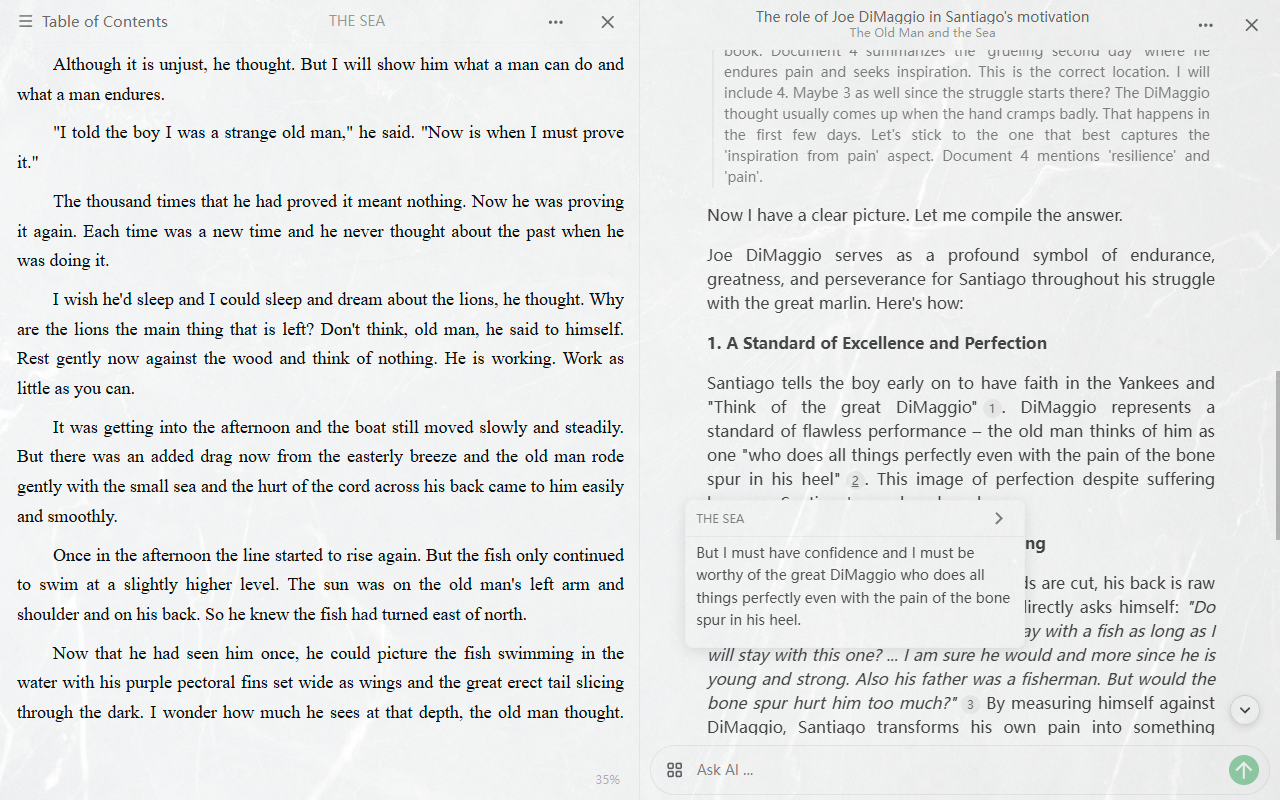
VI. Tool Calling: Retrieve first, answer second
When chat is bound to a book (resourceId present, chatType === 'chat'), we register two Tools with executors before each generation—standard OpenAI-style function calling loop.
6.1 get_related_segment_summaries — Targeted segment lookup
For: concepts, characters, plot, chapter details—clear retrieval intent.
Flow:
- Model rewrites user wording into terms likely to appear in the book (“Optimize Search Queries” in system prompt);
- Call Tool with
question; - Batch all segment summaries by token budget (~30k tokens per batch, max 5 batches);
- Each batch: separate LLM request picks relevant segment IDs (max 5) from
{ id, title, summary }, JSON like{"Thinking":"...","answer":["1","3"]}; - For selected segments, pull tagged source text from spine—not summaries—as Tool result.
Key design: Tool returns source, not summaries. The model answers from real paragraphs with inline [f…], avoiding “summary → re-summary” drift.
6.2 get_full_book_segment_summaries — Whole-book overview
For: “summarize the book,” “review this book,” “overall structure/themes”—global view.
Concatenate all segment summary fields in reading order—avoid missing key chapters via per-chunk relevance only.
6.3 System prompt: Book first, tools first
With a bound book, [Core Principles for Reading Assistant] applies:
1. Book First, Tool First
   - Any question possibly about the book must call tools first;
   - Answers must rely mainly on retrieval—never invent “book content” without retrieval.

2. General Knowledge as Fallback Only
   - Only for: casual chat / user explicitly skips the book / tools return nothing;
   - If the book lacks it, say “not mentioned in this book” before general knowledge.

3. Direct Style
   - Get to the point—avoid “based on the provided materials…” and similar filler.
Generation runs the tool loop: tool_calls → execute → append role: tool → continue until final text. With tools enabled, thinking channel is off to avoid protocol conflicts.
VII. Frontend traceability: From footnote to highlight
Model output [f5-123-165] is not shown raw; render layer turns it into clickable citations.
7.1 Footnote rendering
Normalize tags to Markdown links like [1]([f5-123-165]), render as numbered footnotes; dedupe same position to avoid UI clutter.
7.2 Click interaction
- First click: Parse
[f…]→ fileIndex + offsets → extract spine text → preview (optional TOC title); - Same footnote again: Close preview;
- Confirm jump: Open reader view, highlight character range.
From copied model tag to user-visible source, the chain never passes through another LLM call—deterministic and reproducible.
VIII. Edge cases and honest degradation
Zero hallucination ≠ “always has an answer”—it means no evidence, no fabrication:
| Scenario | Behavior |
|---|---|
| Segment summaries not ready | Extract full text and summarize first |
| Tool finds nothing | Return (No relevant segment excerpts found…); model should say not in book |
| Invalid two-part tags from model | Frontend filters; no broken footnotes |
| Casual chat | System prompt allows general knowledge off-book |
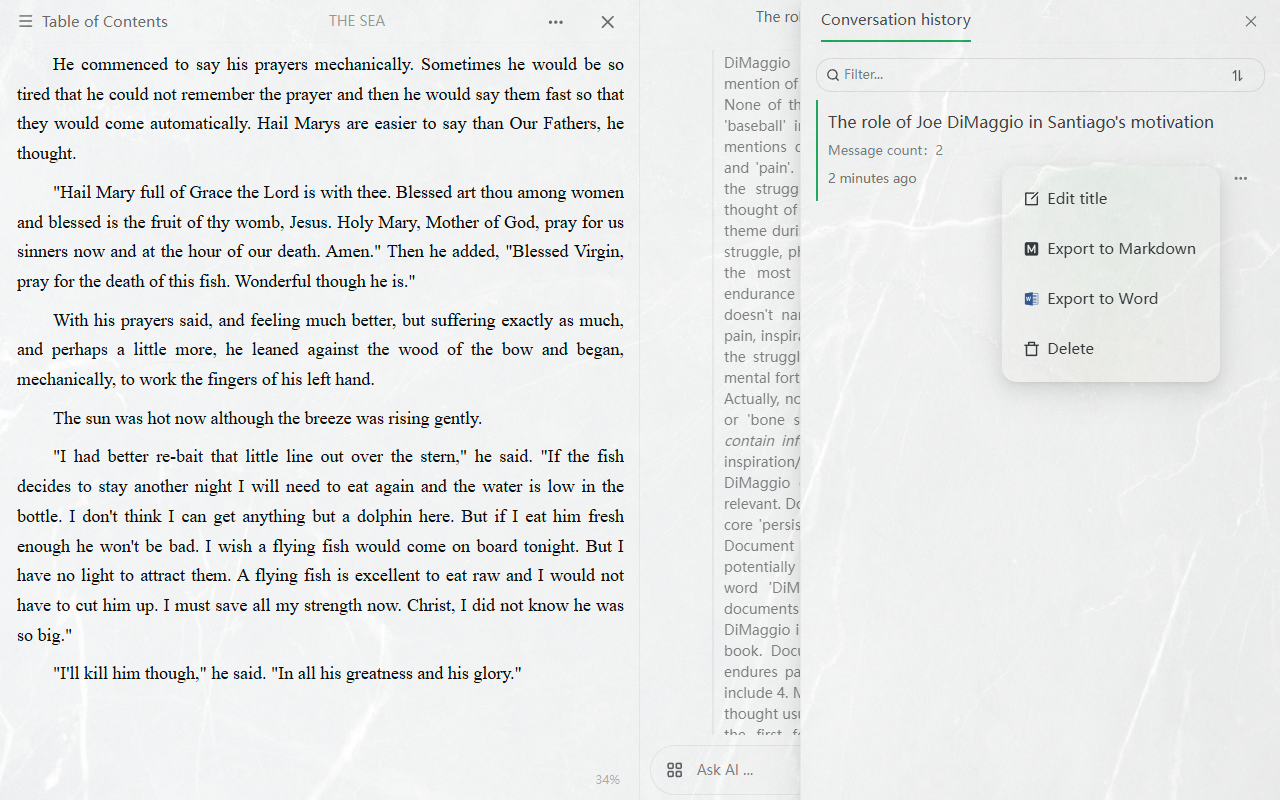
| Export chat | Footnotes can become reader deep links for sharing/archiving |
IX. Design trade-off: Why not “vector RAG”?
Peers building document Q&A often ask: if you do retrieval-augmented generation, why not Embedding + vector DB Top-K?
We are doing RAG—retrieve before generate. The difference: “RAG” in community speech often implies vector similarity; our stage 3 is segment index + Tool on-demand source pull—no vector layer by design. Below: architectural reasons, not denying vector RAG’s value.
Scope: not “no retrieval,” but “no vector retrieval”
- Broad RAG: retrieve → generate → we do this;
- Vector RAG: recall via embedding similarity → not in this version.
Preprocessing builds a segment summary index; the model picks segments via Tools and gets source text. Retrieval exists without a separate embedding model and vector index upkeep.
Reason 1: Custom LLM providers—keep the integration surface small
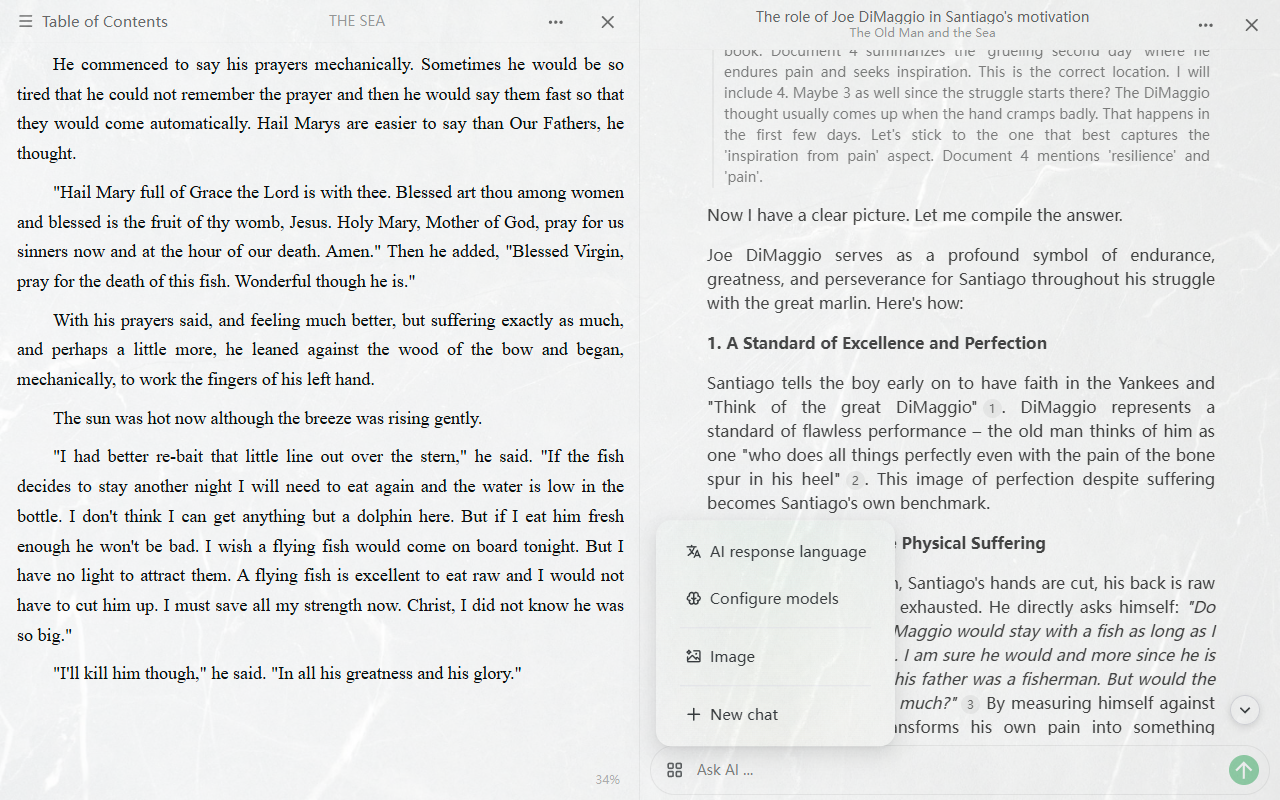
Users can plug their own API keys, custom base URLs, or local Ollama—chat model is their choice; cost and data path stay under control.
Typical vector RAG widens integration:
- Besides chat model, you usually need an embedding model (another name, sometimes another endpoint);
- Local Ollama needs a separate embedding model plus dimension/API compatibility;
- More failure modes: chat works but empty retrieval—embedding, index, or dimension mismatch; harder to debug than one provider end-to-end.
Here, segment picking and answering share one provider config—no “chat on A, index on B.” For pluggable LLM apps, that often beats a few points of recall.
Reason 2: Embeddings bind to the index—provider switches are expensive
In vector RAG, vectors are not a universal intermediate format—they are coordinates under one embedding model. Index with A, query with B: similarity is usually not comparable—often full re-embedding, and dimensions (768 / 1024 / 1536 …) lock storage schema.
Stage 3 persists structured summaries + character spans, not vectors; switching chat models does not rebuild the index; evidence chain (source positions) stays the same—aligned with “try different LLMs anytime.”
Reason 3: Structured routing is often enough for TOC-heavy long docs
E-books and PDFs usually have chapter structure; preprocessing yields segment titles + summaries. For “what does chapter X say” or “how does the book define Y,” pick segments from the catalog then pull source works well in practice; Tool returns source with [f…], so zero hallucination stays anchored on character spans.
Vectors help fuzzy semantics, cross-language, long-span literal mismatch; for TOC + preprocess + strong traceability readers, investing in Tool + source return + citation rules often has better ROI.
Future: Hybrid recall, not a rewrite
We may add vector coarse recall (embedding only for Top-N chapter candidates), still ending in pick segment → source → clickable trace—zero-hallucination rules unchanged. If added: embedding optional, explicit re-index prompts when models change—avoid silent wrong retrieval.
Until then: any OpenAI-compatible chat API works; changing chat model does not rebuild local index.
X. Summary
| Step | Method | Role |
|---|---|---|
| Preprocess | Split by TOC/length + segment summary cache | Long books searchable & locatable |
| Position tags | [fFile-start-end] in source | Machine-parseable provenance |
| Tool retrieval | Per-question segments / full-book summaries, return source | Force evidence before answer |
| System prompt | Book first, no fake tags, say when missing | Constrain generation |
| Frontend | Footnote → preview → jump & highlight | User verifies evidence |
| No vector retrieval | Single provider; swap chat model without re-index | Lower integration & migration cost |
“Zero hallucination” does not mean the model never errs—it means engineering locks output to an evidence chain: no retrieval → do not pose as book content; with retrieval → give verifiable source positions.
If you build AI reading or document Q&A, we hope the path full dump → key sentences → Tool-first on-demand retrieval, plus inline position tags + source return, is a useful reference implementation.
These are lessons from building Foxycape AI reader—for reference only. Try the reader on the download page.